Developer · Integration
WHOOP Data Integration
Last updated · July 10, 2026
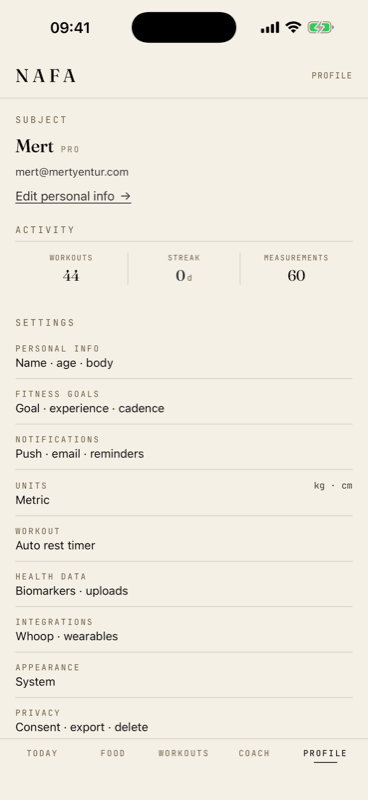
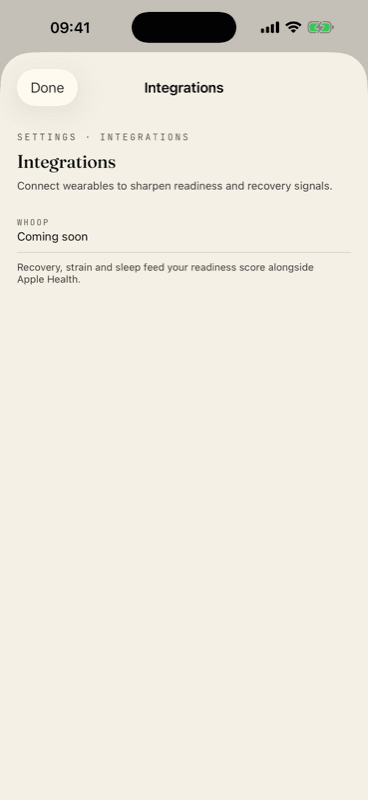
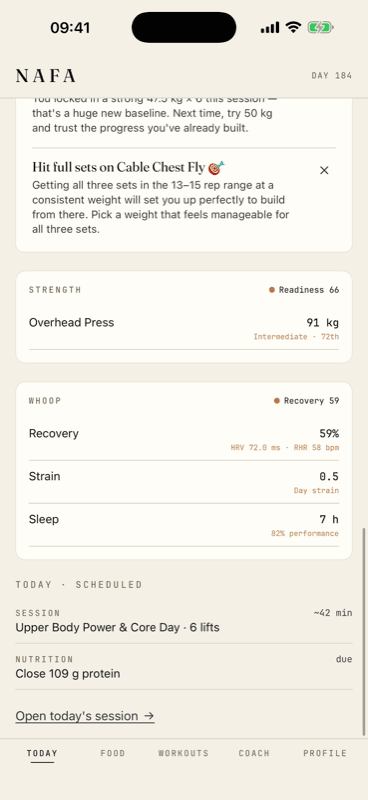
NAFA (bundle me.fitarc.app) is a strength-training and nutrition app. Members can connect their WHOOP account to bring recovery, sleep, and strain into their daily training readiness. This page shows the exact in-app experience: where a member connects WHOOP, and every screen where WHOOP data is displayed and used.
Scopes we request
read:recoveryRecovery score, HRV, resting heart rateread:sleepSleep duration and sleep performanceread:cyclesDaily strainread:workoutWHOOP workouts, matched to logged NAFA sessionsread:profileWHOOP user id — connection identityofflineRefresh tokens for background updatesHow a member connects WHOOP
- Open Profile → Integrations. The member goes to Settings and taps the Integrations row.
- Tap Connect on the WHOOP row. This launches WHOOP's OAuth authorization; the member grants the scopes above.
- NAFA fetches the latest data. On return, NAFA pulls the most recent recovery, sleep, strain, and workouts from the WHOOP v2 API.
- WHOOP data appears in the app. It renders on the dashboard WHOOP card and feeds the member's daily readiness score.
The screens
How each metric is used
| WHOOP data | Scope | Where it appears | How it's used |
|---|---|---|---|
| Recovery, HRV, RHR | read:recovery | Dashboard WHOOP card · Readiness | Displayed with attribution; blended into the daily readiness score |
| Sleep hours & performance | read:sleep | Dashboard WHOOP card | Displayed; contributes to readiness |
| Day strain | read:cycles | Dashboard WHOOP card | Shows how hard you have been training |
| Workouts | read:workout | Workout history | Matched to logged NAFA training sessions |
| Profile (user id) | read:profile | Integrations screen | Connection identity for connect / disconnect |
Data handling
- Member-only. WHOOP data is shown only to the member it belongs to — never sold, and never used for advertising.
- Revocable. Members can disconnect WHOOP at any time (which revokes access) and can delete their account and data in-app.
- Secure tokens. Access and refresh tokens are stored encrypted server-side and refreshed via the
offlinescope; raw tokens never reach the client. - Attributed. WHOOP-sourced metrics are labeled as WHOOP wherever they appear.